Scan results
Run repeat scans across your selected public pages. Scans can find some issues. Other issues need human checks.
Accessibility assurance platform · Aotearoa New Zealand
BarrierTrace checks public websites for accessibility issues that software can find. Add human checks, track fixes and keep the results in one place. See what you tested, what improved and what still needs work.
Track progress against WCAG 2.2, the Web Content Accessibility Guidelines. Scan results stay separate from human reviews.
See what was checked, what improved and what still needs work.
From finding to next action
Choose an affected page in Issues, inspect its recorded finding, then open website review to investigate the detail and guidance. Re-test the same scope after a fix and keep the resulting evidence.
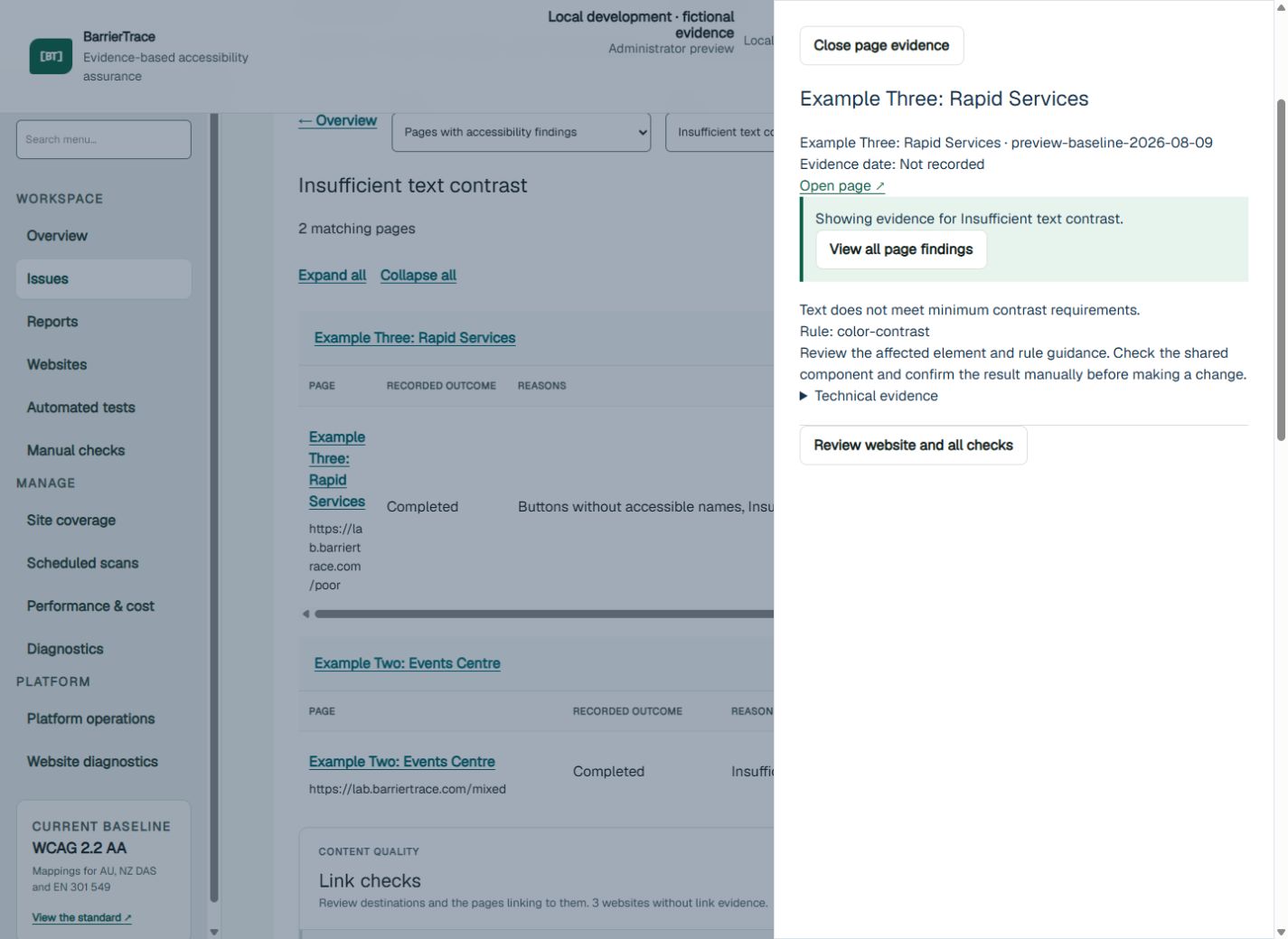
This is a real screen from the local preview with fictional evidence. It illustrates the review workflow; it is not a customer result or proof of WCAG conformance. An authorised Administrator records manual evidence.
Explore the demonstrationWhy BarrierTrace
See which pages were tested and what people checked. Keep a record of decisions and changes, so you can explain what improved. Accessibility assurance means having evidence to support what you say about your website.
One evidence trail
Run repeat scans across your selected public pages. Scans can find some issues. Other issues need human checks.
Record checks of keyboard use, screen readers, zoom and content. Include reflow: how content fits when the view changes.
Keep the evidence and decisions behind each change. Show what was tested, what improved and what still needs work.
AI connection · beta
If you have access, connect a supported AI assistant, such as ChatGPT, to your BarrierTrace workspace. Ask about your websites, findings, missing evidence and past reports. The connection uses MCP (Model Context Protocol).
The connection can read data within your workspace. It cannot change evidence, start scans or publish changes. Access depends on your AI service and your workplace's rules.
How it works
Focus on the pages and tasks that matter most. See what scans can check and where people need to review.
Map your public website. Choose key pages and plan human checks of the steps people take to use your service.
Run scans and add checks done by people. Keep the results distinct.
Save the findings, decisions and work to fix issues. Show what changed and what still needs work.
An honest boundary
Scans help you find issues. They do not prove your website meets WCAG. You still need checks by people, expert judgement and research with disabled people. BarrierTrace does not replace legal advice.
Scans use the open-source GOVTNZ CWAC scanner, including axe-core checks. BarrierTrace is built independently. It is not endorsed by the New Zealand Government.
Simple portfolio pricing
Every plan includes scan monitoring, tools for human checks and a record of your results.
For a small team checking up to 3 websites.
NZ$149 / month
For teams checking up to 10 websites across services or brands.
NZ$299 / month
For larger teams checking up to 25 websites.
NZ$599 / month
Introductory prices are a guide and are shown in New Zealand dollars. GST may apply.
Daily page allowances are shared across the active websites in the workspace. When you archive a website, its evidence is kept. Your plan limits how many websites you can replace each month.
For example, Starter covers up to three active websites and 30 page scans per day, with up to 10 pages per website. Scanning 10 pages on each of three websites uses that day’s allowance. Archiving keeps existing evidence; Starter allows one monitored-website replacement per month.
Scan results help you decide what to fix first. They do not prove that your website meets WCAG.
Pilot or proof of concept
We work with teams that run public or complex digital services. Tell us what you need to test or improve. We will agree a focused pilot with you.
hello@barriertrace.com